What is Technical SEO ? Tools, Techniques & Terms Explained
Introduction
Search Engine Optimization (SEO) is not limited to content and backlinks. A strong technical foundation is equally important for achieving higher rankings on search engines. Technical SEO focuses on optimizing the infrastructure of a website so that search engines can efficiently crawl, index, and render its pages.
Without proper technical optimization, even high-quality content may fail to appear in search results. Therefore, understanding technical SEO is essential for improving both search visibility and user experience.
What is Technical SEO?
Technical SEO refers to the process of optimizing a website’s technical aspects and backend structure to improve its visibility and performance in search engine results.
It ensures that search engine bots can:
- Access (crawl) the website
- Understand (render) the content
- Store (index) the pages
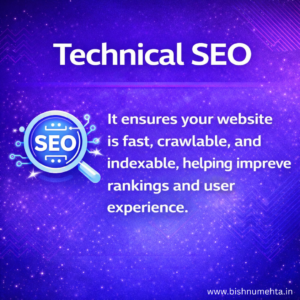
In simple terms, Technical SEO ensures that a website meets the technical requirements of modern search engines.
Objectives of Technical SEO
The primary objectives of technical SEO include:
- Improving website crawlability and indexability
- Enhancing website speed and performance
- Ensuring mobile compatibility
- Eliminating technical errors
- Strengthening website security
Key Terms in Technical SEO
1. Crawling
Crawling is the process by which search engine bots (also known as spiders) scan and discover web pages by following links across the internet.
2. Indexing
Indexing refers to the process of storing and organizing web pages in a search engine’s database so they can be retrieved in search results.
3. Page Speed
Page speed is the time it takes for a web page to fully load and display its content to users. Faster page speed enhances user experience and positively impacts search engine rankings.
4. Core Web Vitals
Core Web Vitals are a set of performance metrics defined by Google to measure user experience, including loading speed (LCP), interactivity (INP), and visual stability (CLS).
5. Mobile-Friendliness
Mobile-friendliness refers to how well a website performs and displays on mobile devices, ensuring responsiveness and usability.
6. XML Sitemap
An XML sitemap is a file that lists all important pages of a website, helping search engines discover and crawl them more efficiently.
7. Robots.txt
A robots.txt file is used to instruct search engine bots about which pages or sections of a website should or should not be crawled.
8. Canonical Tag
A canonical tag is an HTML element that indicates the preferred version of a webpage, helping prevent duplicate content issues.
9. 404 Error
A 404 error occurs when a webpage cannot be found on the server, usually due to deletion or incorrect URL.
10. 301 Redirect
A 301 redirect is a permanent redirection from one URL to another, used to maintain SEO value when a page is moved.
11. HTTPS
HTTPS (Hypertext Transfer Protocol Secure) ensures secure communication between a user’s browser and the website using encryption (SSL certificate).
12. Schema Markup
Schema markup is a form of structured data added to a webpage’s code to help search engines better understand its content and display rich results.
Types of Schema Markup
- Article Schema – For blog posts
- Product Schema – Shows price, ratings
- FAQ Schema – Displays questions & answers
- Local Business Schema – Business details (address, phone)
- Breadcrumb Schema – Navigation path
13. Breadcrumbs
Breadcrumbs are navigational links that show the path from the homepage to the current page, improving user experience and site structure.
Essential Technical SEO Tools
1. Google Search Console
Google Search Console is a free tool by Google that helps website owners monitor, maintain, and troubleshoot their site’s presence in Google search results.
Key Functions:
- Monitors indexing status of web pages
- Detects crawl errors and issues
- Submits XML sitemap
- Tracks keyword performance (clicks, impressions, CTR)
- Analyzes Core Web Vitals and mobile usability
Importance in Technical SEO:
It helps identify and fix issues that prevent your website from appearing in search results.
Google Analytics
Google Analytics is a web analytics tool by Google that tracks and reports website traffic and user behavior.
Key Functions:
- Tracks website visitors and sessions
- Analyzes user behavior (bounce rate, time on site)
- Identifies traffic sources (organic, paid, social)
- Measures conversion and goals
- Provides insights into user engagement
Importance in Technical SEO:
It helps understand how users interact with your website, allowing you to improve performance and user experience.
Google Tag Manager
Google Tag Manager (GTM) is a tag management system by Google that allows you to add and manage tracking codes (tags) on your website without modifying the code directly.
Key Functions:
- Adds tracking codes like Google Analytics, Facebook Pixel
- Tracks events (clicks, form submissions, scrolls)
- Manages tags through a single dashboard
- Reduces dependency on developers
- Enables advanced tracking setup
Importance in Technical SEO:
It simplifies tracking implementation and helps collect accurate data for analysis and optimization.
Other Important Tools Used in Technical SEO
1. Crawling & Website Audit Tools
These tools analyze the structure of a website and identify technical issues.
Screaming Frog SEO Spider
A desktop-based crawler that scans websites to detect broken links, duplicate content, redirect chains, and other technical errors.
SEMrush
An all-in-one digital marketing tool that provides comprehensive site audits, identifying technical SEO issues along with suggestions for improvement.
Ahrefs
A powerful SEO toolset used for site audits, backlink analysis, and identifying technical and on-page SEO issues.
2. Search Engine & Indexing Tools
These tools help monitor how a website appears in search engines.
Google Search Console
A free tool that allows website owners to monitor indexing status, detect errors, submit sitemaps, and analyze search performance.
Bing Webmaster Tools
Similar to Google Search Console, it provides insights into how a website performs on the Bing search engine.
3. Website Speed & Performance Tools
These tools evaluate the loading speed and performance of a website.
Google PageSpeed Insights
Analyzes page speed and provides recommendations to improve performance based on Core Web Vitals.
GTmetrix
Offers detailed reports on page load time, performance scores, and optimization suggestions.
Lighthouse
An open-source tool that audits performance, accessibility, SEO, and best practices.
4. Mobile Optimization Tools
Google Mobile-Friendly Test
A tool used to check whether a website is optimized for mobile devices and provides suggestions for improvement.
5. Structured Data & Schema Tools
Rich Results Test
Helps verify whether structured data is correctly implemented and eligible for rich results in search engines.
Schema Markup Validator
Validates structured data to ensure it follows proper schema guidelines.
6. Sitemap & Robots Testing Tools
XML Sitemap Generator – Creates a sitemap file that helps search engines discover and crawl your website pages.
Robots.txt Tester – Checks whether your robots.txt file is correctly allowing or blocking search engine bots.
7. Security & HTTPS Tools
SSL Labs – Analyzes your website’s SSL certificate and security configuration for HTTPS.
Why No Padlock – Identifies insecure elements on your site that prevent HTTPS from working properly.
8. Log File Analysis Tools (Advanced)
Screaming Frog Log File Analyzer – Analyzes server logs to show how search engine bots crawl your website.
Splunk – Processes and analyzes large log data to track bot behavior and website performance.
9. AI & Automation SEO Tools
Surfer SEO – Uses AI to optimize content based on ranking factors and competitor analysis.
Frase – Helps create and optimize SEO content using AI-driven research and suggestions.
Best Practices for Technical SEO
- Optimize website loading speed
- Ensure mobile responsiveness
- Fix broken links and crawl errors
- Use HTTPS for security
- Implement structured data
- Maintain a clean URL structure
- Submit XML sitemap to search engines
Conclusion
Technical SEO acts as the structural support of a website, ensuring that every page can be efficiently discovered, accessed, and interpreted by search engines. It focuses on creating a smooth and error-free environment where both users and search engines can interact with the website without any obstacles.When businesses prioritize technical optimization—such as improving site speed, fixing errors, enhancing mobile usability, and maintaining proper site architecture—they create a strong foundation for better visibility and performance in search results.Rather than being a one-time task, technical SEO is an ongoing process that continuously strengthens a website’s overall efficiency and user experience.
Contact us for Online Digital Marketing Course in Chandigarh or visit –www.bishnumehta.in